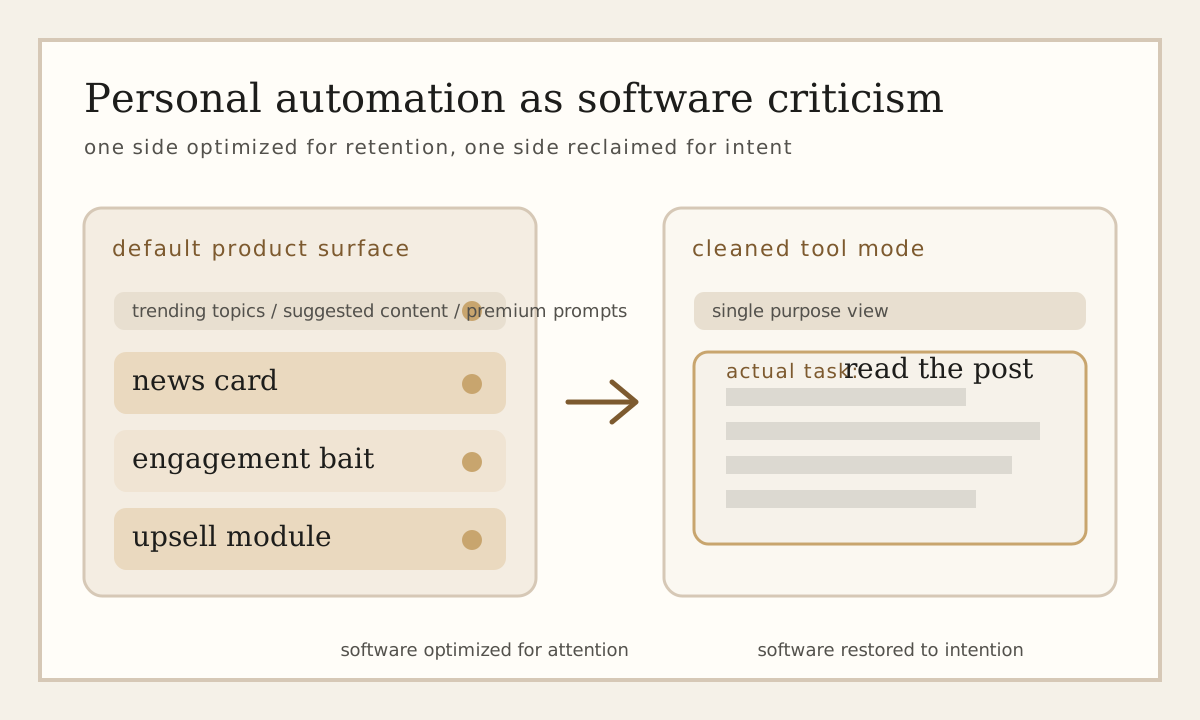
A lot of modern software is not built around the task the user came to perform. It is built around retention, engagement, conversion, upgrade funnels, and all the other secondary goals that accumulate once a useful tool becomes a product surface. The software still works, in some narrow sense, but it begins to ask for attention that has nothing to do with the job at hand.
That is why I like personal automation. A small Tampermonkey script, a shell alias, or a quick browser-side patch does more than save a few clicks. It makes an argument. It says: this is the part of the interface that matters, and the rest is noise. The script becomes a compact piece of criticism expressed in code.
Why Small Scripts Matter
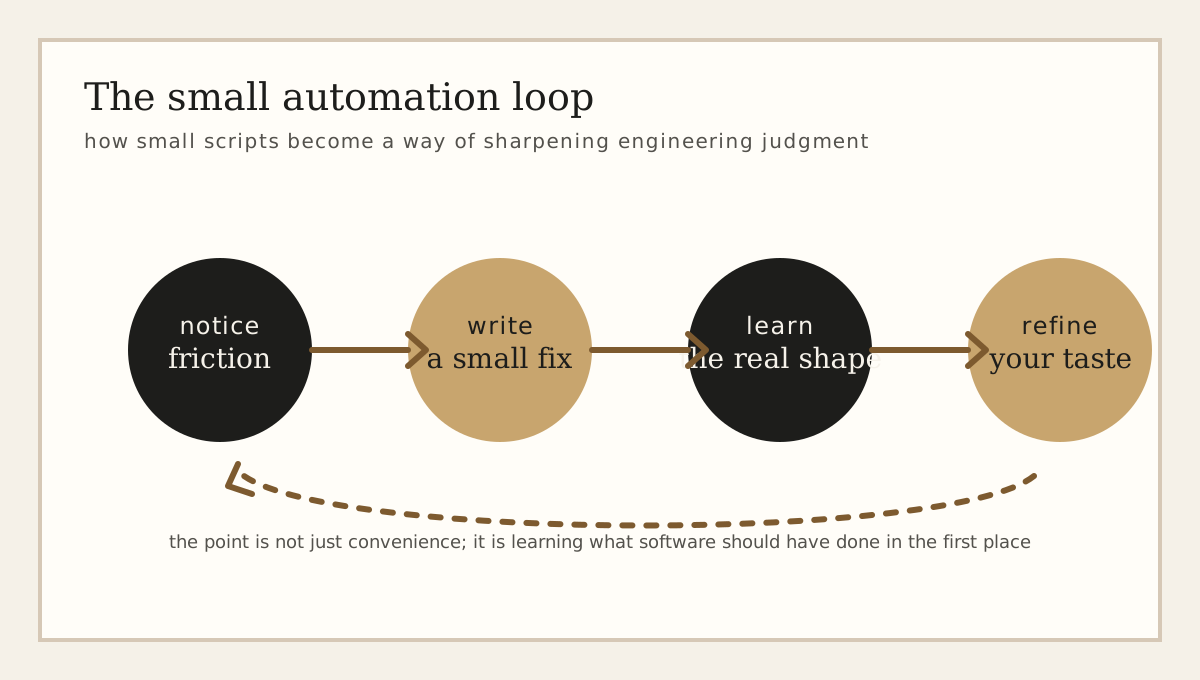
It is easy to dismiss browser scripts as glorified convenience. That misses the point. A useful userscript usually appears when there is recurring friction: a dashboard that buries the only thing you care about, a site that insists on showing suggested content when you only want search, a page that makes reading harder in order to make scrolling easier. The script is a local fix, but the existence of the fix tells you something general about the software.
In that sense, personal automation is close to code review. Both begin with a small annoyance, but both can reveal a larger design failure. A weak interface is rarely weak in only one place. If a site constantly asks for your attention, that is usually because attention has become part of the business logic. Once you see that, the script stops looking like a hack and starts looking like a very honest response to the system you were given.
What a Userscript Reveals
Writing a userscript forces a certain kind of clarity. First you have to decide what the actual problem is. Then you have to identify which parts of the page are signal and which parts are noise. Then you have to implement the smallest intervention that changes the behavior without accidentally breaking the useful parts. Even when the code is tiny, the thinking is not.
A good personal automation script is rarely about doing something flashy. More often it is about recovering proportion: less feed, more search; less decoration, more information; less ceremony, more intent.
That is part of why I think this sort of scripting is worth writing about. It trains a useful habit: looking at software and asking what it is optimized for. The answer is not always the same as what the user needs. Once you learn to spot that gap, you start seeing similar tradeoffs everywhere, including in systems that have nothing to do with the browser.
A Small Example: Reclaiming LinkedIn
LinkedIn is a good example because it sits in an awkward middle ground. It is genuinely useful as a directory, a search tool, and a place to keep a public professional profile. But the interface increasingly behaves like a feed product. News modules, trend blocks, premium prompts, side panels, "helpful" suggestions, and engagement bait all compete with the only reason many people opened the page in the first place.
A cleanup script for a page like that is not trying to build a new platform. It is trying to restore a boundary. Remove the right rail, hide the premium upsell, widen the actual content column, and suddenly the site becomes legible again. The improvement can feel disproportionate to the amount of code because the original problem was not lack of functionality. It was lack of restraint.
The Case Against Pretending These Are Permanent
Of course, userscripts are brittle. They depend on selectors, DOM structure, timing, and UI assumptions that may change at any moment. That brittleness is real, but it is not a reason to dismiss the exercise. If anything, it makes the exercise more interesting. You are working in a hostile or unstable environment, which means you have to think carefully about scope, failure modes, and what "good enough" means.
There is also something useful about the fact that these fixes are personal. They do not need to become products. They do not need configuration panels and onboarding flows and enterprise-grade abstractions. They only need to solve a real annoyance well enough that you keep using them. That makes them a healthy counterweight to software that grows by default.
What This Has To Do With Engineering Taste
I do not think engineering taste comes only from reading about architecture or learning formal abstractions, though both matter. It also comes from noticing friction in ordinary software and trying to remove it with the smallest possible intervention. That process teaches you something about proportion. It teaches you that many good improvements are subtractive. It teaches you that clarity is not the same thing as feature count. And it teaches you that maintenance burden often begins exactly where people say, "it is just one more little thing."
This is also why I like small static sites, shell scripts, and browser automations. They reward directness. They make it harder to hide behind ceremony. When the code is small, the choices are easier to inspect, and that tends to make the underlying values easier to inspect too.
Closing
Personal automation is sometimes framed as laziness, or as an obsession with shaving seconds off repetitive tasks. I think that undersells it. The more interesting part is that it sharpens your sense of what software is for. A good script is a tiny insistence that the interface should serve the user's intention, not redirect it.
That may sound like a small thing. It usually starts as one. But small corrections are often the place where good engineering taste becomes visible.